
How to Accept Credit Card Payments Online Using QR Codes for a Pop-Up Shop
Indotribun.id – How to Accept Credit Card Payments Online Using QR Codes for a Pop-Up Shop. Pop-up shops offer a fantastic opportunity for businesses to test new markets, launch products, and connect with customers in a dynamic, temporary setting. However, one of the perennial challenges for these agile ventures is setting up a reliable, efficient, and cost-effective payment system. Traditional point-of-sale (POS) hardware can be cumbersome and expensive for short-term use. This is where the innovative solution of accepting credit card payments online using QR codes steps in, offering a seamless and modern approach to transactions for your pop-up shop.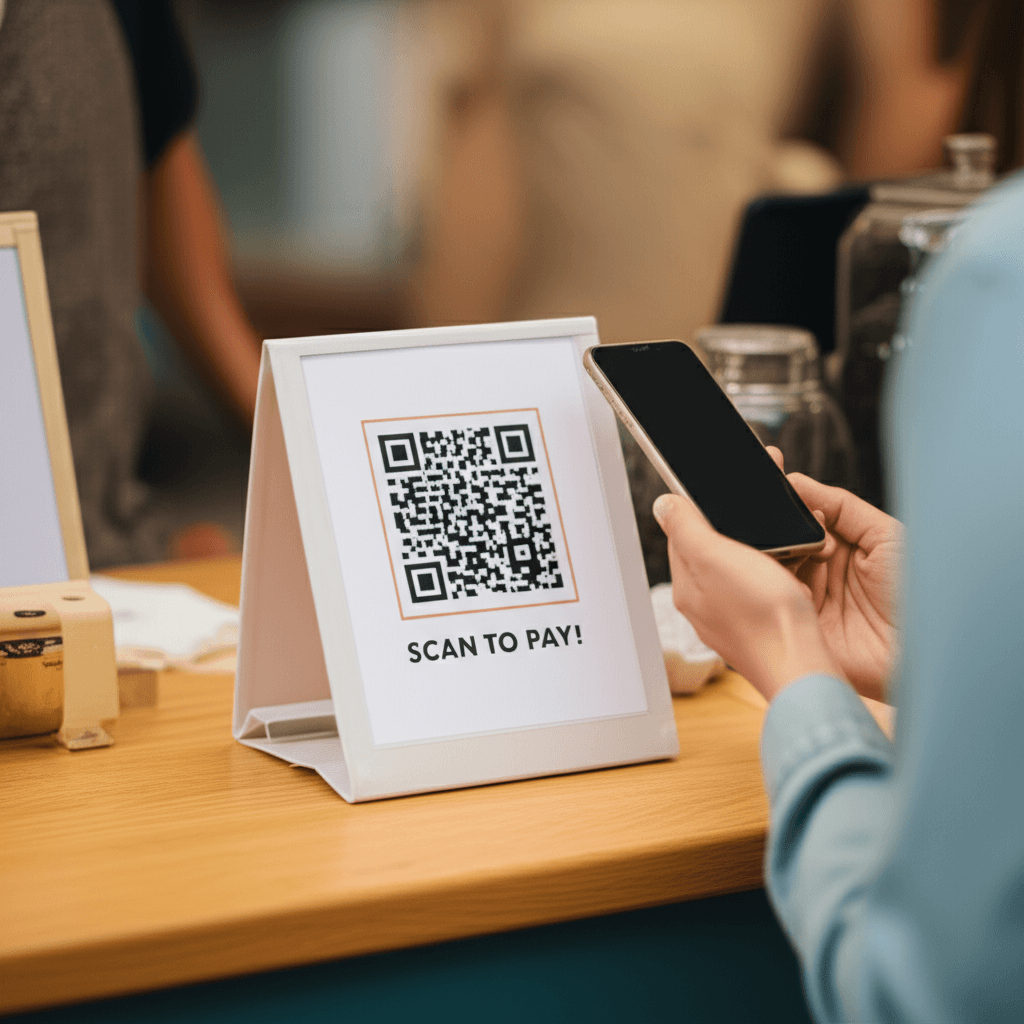
The Evolution of Pop-Up Payments: Why QR Codes?
For years, pop-up shop owners grappled with limited options: cash-only, bulky card readers with varying reliability, or clunky manual invoicing. QR codes revolutionize this landscape by transforming any smartphone into a payment terminal. By leveraging existing online payment gateways, QR codes provide a bridge from the physical world of your pop-up to the secure, digital realm of online credit card processing.
Here’s why QR codes are rapidly becoming the go-to payment solution for pop-up shops:
- Mobility and Flexibility: No heavy equipment, no tangled wires. All you need is a printed QR code and a reliable internet connection (which your customers will also need). This flexibility is perfect for temporary locations, outdoor markets, or anywhere power outlets are scarce.
- Cost-Effectiveness: Eliminate the need for expensive card readers, dedicated POS systems, or monthly hardware rental fees. Most payment processors charge a per-transaction fee, making it a pay-as-you-go model ideal for varying sales volumes.
- Speed and Efficiency: Customers simply scan, enter their details (or use saved payment info), and confirm. This quick process reduces checkout lines and improves the overall customer experience.
- Enhanced Customer Experience: Offering a contactless, modern payment method signals professionalism and tech-savviness. It caters to a digitally fluent customer base that expects convenience.
- Security: Payments are processed through established, secure online payment gateways (like Stripe, Square, PayPal), which handle encryption and PCI compliance, minimizing your risk and responsibility.
- Data and Analytics: Since transactions occur online, you gain access to valuable sales data, customer insights, and reporting features typically associated with e-commerce, helping you track performance and manage inventory.
How to Set Up QR Code Credit Card Payments for Your Pop-Up Shop
Implementing QR code payments for your pop-up is surprisingly straightforward. Follow these steps to get started:
- Choose a Reliable Online Payment Processor: This is the cornerstone of your system. Popular options include:
- Square: Known for its ease of use and integrated services, Square allows you to create online checkout links or even simple product pages that can be linked via QR code.
- Stripe: A powerful and highly customizable platform favored by developers, Stripe offers robust tools for creating payment links and integrating with various e-commerce solutions.
- PayPal: Widely recognized, PayPal offers “PayPal.Me” links or invoicing features that can be converted into QR codes.
- Shopify Payments: If you have an existing Shopify store, you can create draft orders or product links that customers can complete via a QR code.
When choosing, consider transaction fees, ease of setup, customer support, and any additional features that might benefit your business (e.g., inventory management, reporting).
- Set Up Your Online Product or Checkout Page:
- For individual products: Create specific product pages on your e-commerce platform (Shopify, WooCommerce) or use the “buy button” or payment link generation features provided by your chosen payment processor (e.g., Stripe Payment Links, Square Online Checkout Links).
- For a general checkout: You might create a custom payment page or a simple form where customers can enter the total amount due. However, linking directly to product pages offers a smoother, more transparent experience.
- Generate Your QR Codes:
- Once you have the direct URL for your product page or checkout link, use a free online QR code generator (many payment processors offer this directly, or you can use sites like QR Code Generator, QRCode Monkey).
- If you have multiple products, you can generate a unique QR code for each item, or a single QR code linking to a mobile-friendly menu or catalog page where customers can select their items.
- Pro Tip: Create a separate QR code for a “custom amount” if you offer services or variable pricing.
- Display Your QR Codes Prominently:
- Print the QR codes clearly on signage, product labels, table tents, or your counter.
- Ensure they are large enough to be easily scanned and placed in well-lit areas.
- Add clear instructions like “Scan to Pay” or “Tap to Buy.”
- Test Thoroughly: Before your pop-up opens, scan every QR code yourself using different phones and payment methods. Ensure the links work, payments process correctly, and confirmation messages are received.
Best Practices for a Seamless QR Code Payment Experience
- Reliable Internet Access: Both you and your customers will need a stable internet connection. Consider a mobile hotspot as a backup for your pop-up location.
- Clear Instructions: Don’t assume everyone knows how QR code payments work. Provide simple, concise instructions next to your codes.
- Backup Payment Method: While QR codes are robust, always have a backup. Accepting cash or having a simple mobile card reader (like Square’s basic reader) for emergencies is a good idea.
- Staff Training: If you have staff, ensure they understand how the system works and can assist customers with scanning and payment issues.
- Security Awareness: While the payment processor handles the heavy lifting, be mindful of your pop-up’s physical security. Protect your devices and ensure your Wi-Fi network is secure.
- Branding: Incorporate your brand’s colors or logo into your QR code design if your generator allows, making it more visually appealing.
Embracing QR code payments online for your pop-up shop is a strategic move that aligns with modern consumer expectations for speed, convenience, and security. It minimizes the logistical burden of payment processing, reduces overhead costs, and enhances the overall customer experience. By choosing the right payment processor and implementing these best practices, you can create a highly efficient, professional, and future-ready payment system that allows you to focus on what you do best: showcasing your unique products and connecting with your audience.
FAQ
1. Are QR code payments secure for credit card transactions?
Yes, when linked to reputable online payment gateways (like Stripe, Square, PayPal), QR code payments are highly secure. The payment gateway handles the encryption of sensitive credit card information and ensures PCI compliance, meaning your business never directly touches or stores card data. Customers enter their details on a secure, encrypted page, just as they would with any online purchase.
2. Do my customers need a special app to scan QR codes for payment?
Most modern smartphones have a built-in QR code scanner in their camera app. Customers simply open their camera, point it at the QR code, and a notification will pop up with a link to your secure payment page. No special app is usually required, though some older phones might need a dedicated QR scanner app.
3. What happens if the internet connection is unreliable at my pop-up shop?
A stable internet connection is crucial for QR code payments, as transactions are processed online. If your connection is unreliable, customers may experience delays or failed transactions. It’s highly recommended to have a dedicated mobile hotspot as a backup for your pop-up, and always have a secondary payment method, such as accepting cash or having a simple offline-capable card reader (though these typically sync when connection is restored), for contingency.

As an experienced entrepreneur with a solid foundation in banking and finance, I am currently leading innovative strategies as President Director at my company. Passionate about driving growth and fostering teamwork, I’m dedicated to shaping the future of business.




Comment